
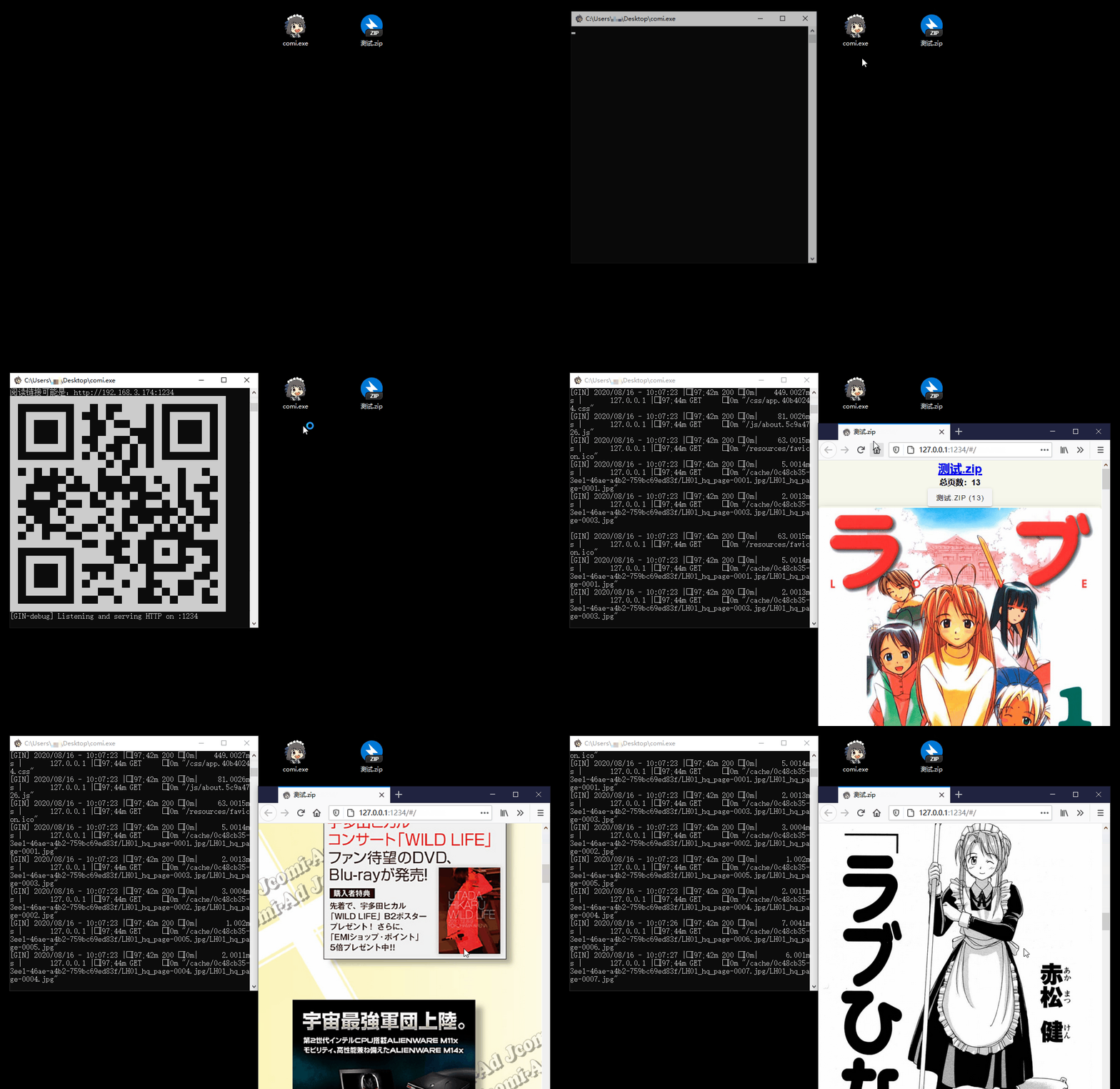
- 📚 Multiple Format Support: Supports image folders and compressed files like
.rar,.zip,.tar,.cbz,.cbr,.epub - 📱 Easy Access: QR code scanning for mobile/tablet devices, drag-and-drop support for Windows
- 📴 Offline Mode / PWA App: Read ZIP/CBZ/RAR/CBR directly in your browser without uploading files
- 🐧 Cross-Platform: Compatibility with Windows, Linux, and macOS
- 📖 Diverse Reading Modes: Offers scroll, and page-turning modes
- ⚙️ Flexible Configuration: Command-line operation with
config.tomllibrary settings - 🖼️ Modern Image Formats: In addition to
jpgandpng, it also supports next-gen formats likeheicandavif - ✂️ Smart Optimization: Automatic image cropping and compression for bandwidth saving
- 🔄 Sync Reading: Synchronized page-turning across different devices
- 🔌 Plugin System: Built-in plugins like auto page-turn and clock, with custom plugin support
- 🎬 Media Playback: Built-in audio and video player
- 📥 Flexible Use: Supports remote Comigo libraries, batch image-folder downloads, and EPUB conversion
- 📜 Reading History: Automatic reading history tracking for easy continuation
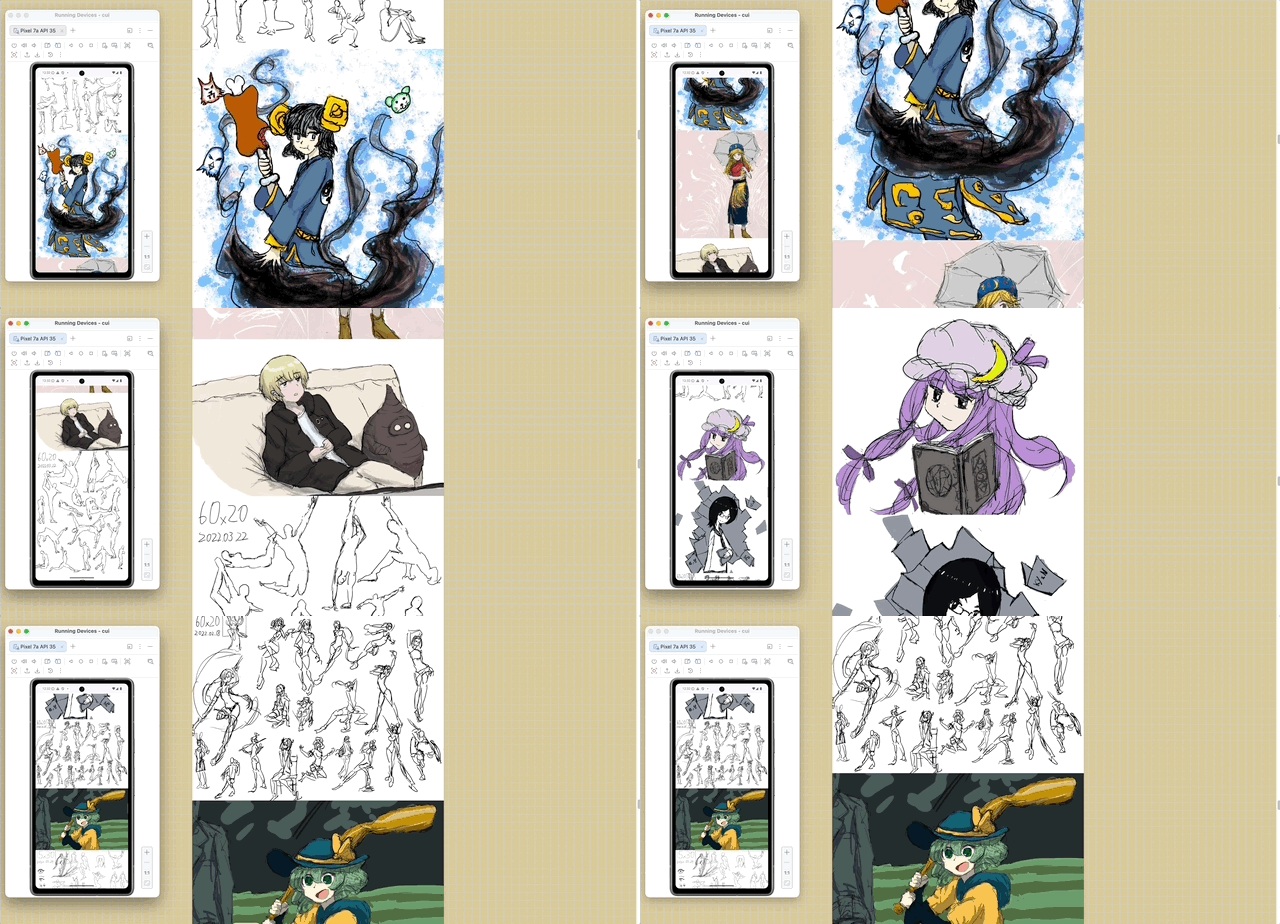
PC/Mobile Sync:
| Version | System | Download |
|---|---|---|
| Tray | Windows 64-bit | comigo-tray_latest_Windows_x86_64.zip |
| Tray | Windows ARM64 | comigo-tray_latest_Windows_arm64.zip |
| Tray | macOS (Intel/Apple Silicon) | comigo-tray_latest_MacOS_universal.dmg |
| Tray | Linux 64-bit | comigo-tray_latest_Linux_x86_64.tar.gz |
| Tray | Linux ARM64 | comigo-tray_latest_Linux_arm64.tar.gz |
| Desktop | Windows 64-bit | comigo-desktop_latest_Windows_x86_64.zip |
| Desktop | Windows ARM64 | comigo-desktop_latest_Windows_arm64.zip |
| Desktop | macOS (Intel/Apple Silicon) | comigo-desktop_latest_MacOS_universal.dmg |
| Desktop | Linux 64-bit | comigo-desktop_latest_Linux_x86_64.tar.gz |
| Desktop | Linux ARM64 | comigo-desktop_latest_Linux_arm64.tar.gz |
💡 Which GUI package should I choose? Choose Tray if you want ComiGo to keep running in the background and manage it from the system tray. The Tray version starts the local Web service and opens the reader in your browser; the tray menu can open the browser, copy the reading URL, open config/library folders, switch languages, check for updates, and toggle Tailscale remote access. On Windows, it can also register folder context menus, file associations, and desktop shortcuts.
Choose Desktop if you prefer a regular app window. It wraps the same ComiGo reader in a Wails desktop shell and adds desktop-only actions such as selecting folders with the system picker and moving local source files to the system trash after confirmation. The current Desktop build does not include the tray menu or built-in Tailscale remote access.
macOS tip: If macOS says the app is damaged and should be moved to Trash, the downloaded file is usually not actually broken. Run this after moving the app to Applications:
xattr -dr com.apple.quarantine /Applications/comigo-desktop.app
# Recommended:
bash <(curl -s https://raw.githubusercontent.com/yumenaka/comigo/master/get.sh)

# For users in Mainland China:
bash <(curl -s https://comigo.xyz/get.sh) --cn

# If you have Golang (go 1.23 or higher):
go install github.com/yumenaka/comigo/cmd/comi@latest| System | Download |
|---|---|
| Windows 64-bit | comi_latest_Windows_x86_64.zip |
| Windows ARM64 | comi_latest_Windows_arm64.zip |
| Windows 32-bit | comi_latest_Windows_i386.zip |
| macOS Intel | comi_latest_MacOS_x86_64.tar.gz |
| macOS Apple Silicon | comi_latest_MacOS_arm64.tar.gz |
| Linux 64-bit | comi_latest_Linux_x86_64.tar.gz |
| Linux ARM64 | comi_latest_Linux_arm64.tar.gz |
| Linux ARM32 | comi_latest_Linux_armv7.tar.gz |
| Linux 32-bit | comi_latest_Linux_i386.tar.gz |
| Debian/Ubuntu 64-bit | comi_latest_amd64.deb |
| Debian/Ubuntu ARM64 | comi_latest_arm64.deb |
💡 Note: CLI version suitable for server deployment and advanced users. Manual PATH configuration required after download.
Download the latest version from the Releases page and add the executable to your system's PATH environment variable.
# Pull and run the latest image
docker run -d \
  --name comigo \
  -p 1234:1234 \
  -v /path/to/your/books:/data \
  yumenaka/comigo:latest
Visit http://localhost:1234 to access your library.
- Download the
docker-compose.ymlfile - Edit the configuration as needed
- Start the service:
docker-compose up -dlinux/amd64- Standard x86_64 serverslinux/arm64- ARM64 servers (Raspberry Pi 4/5)linux/arm/v7- ARMv7 devices (Raspberry Pi 2-4)
| Variable | Description | Default |
|---|---|---|
COMIGO_PORT |
Service port | 1234 |
COMIGO_USERNAME |
Login username (optional) | - |
COMIGO_PASSWORD |
Login password (optional) | - |
COMIGO_ENABLE_UPLOAD |
Enable file upload | true |
For more details, see the complete Docker documentation.
comi [flags] file_or_dir| Option | Short | Default | Description |
|---|---|---|---|
--config |
-c |
- | Specify config file path |
--port |
-p |
1234 | Service port |
--host |
- | - | Custom hostname/domain |
--local |
- | false | Local access only |
--max-depth |
-m |
5 | Max scan depth |
--open-browser |
-o |
false | Open browser on start |
--enable-upload |
- | true | Enable file upload |
--read-only |
- | false | Read-only mode |
--username |
- | - | Login username |
--password |
- | - | Login password |
--debug |
- | false | Debug mode |
# Open current directory
comi .

# Specify port and path
comi -p 8080 /path/to/manga
Comigo supports configuration file locations:
-
User Home Directory
- Windows:
C:\Users\username\.config\comigo.toml - Linux/MacOS:
/home/username/.config/comigo.toml - Default location read at startup
- Windows:
-
Program Directory
- Place
comigo.tomlin the same directory as the executable - Suitable for portable usage
- Place
-
Current Working Directory
- Searches for configuration file in the current directory when running commands
-
Custom Location
- Specify configuration file path using the
--configparameter
- Specify configuration file path using the
If you have any suggestions or encounter issues, feel free to:
Thanks to the following open-source projects and their contributors:
- mholt
- spf13
- disintegration
- Baozisoftware
- And many more contributors
This software is released under the MIT license.