A modern, high-tech plant watering system that keeps your green friends happy automatically! This project uses Java (Firmata4j) to talk to an Arduino board, providing a real-time monitoring dashboard, data logging, and an interactive hardware setup.
Live Demo: tasdidnoor.com/WateringSystemJAVA
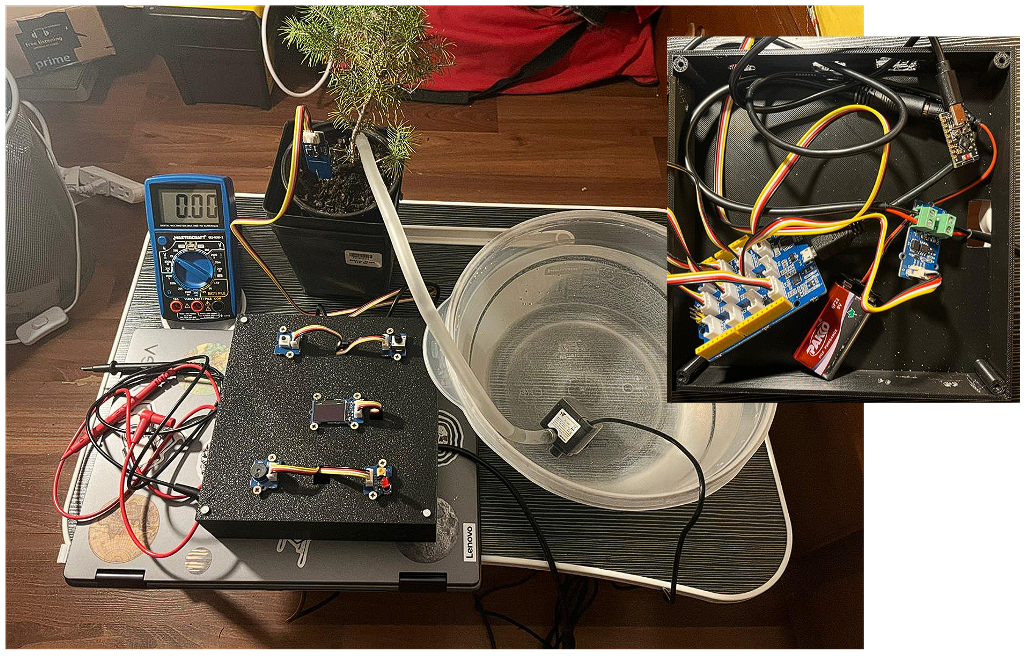
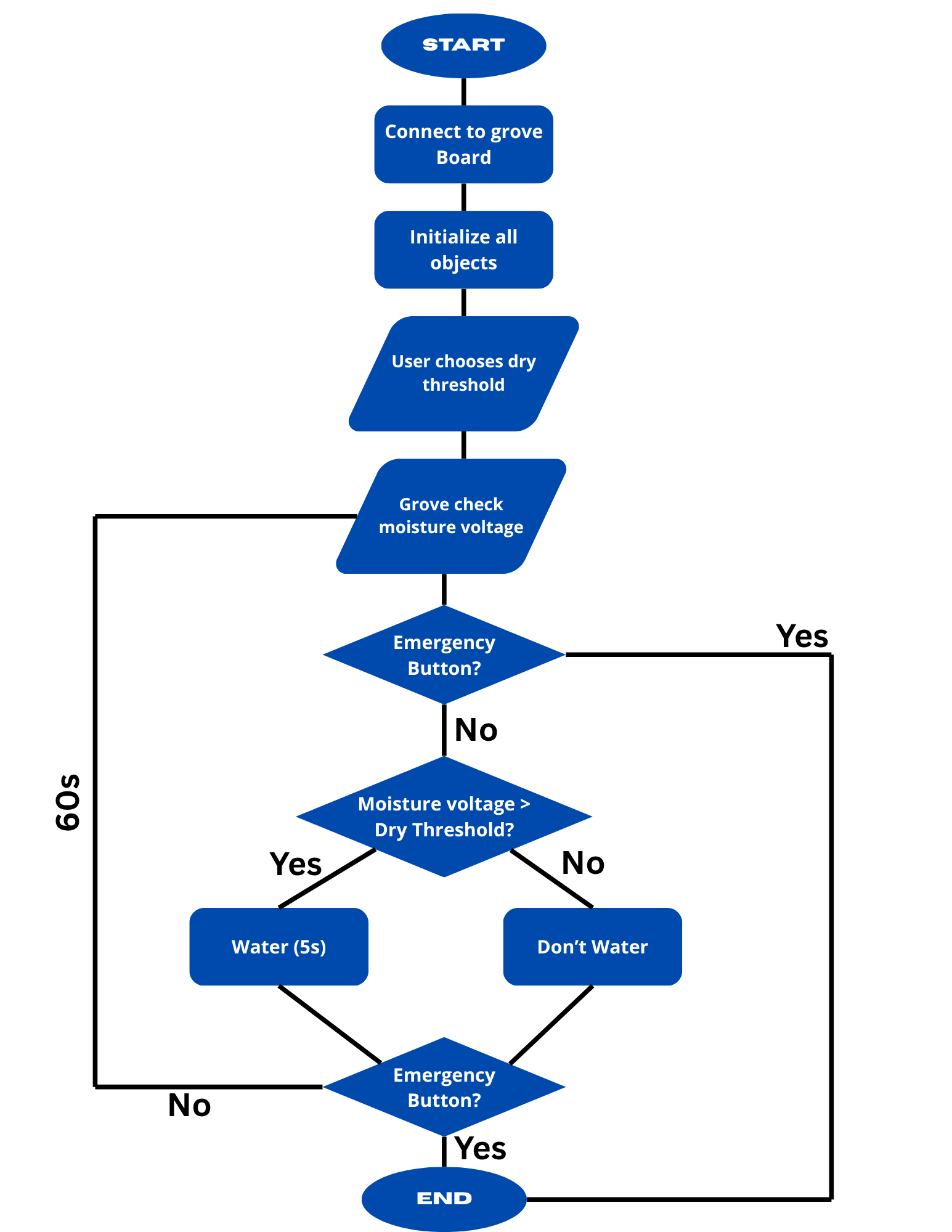
- Smart Watering: Automatically detects soil moisture and waters the plant for 5 seconds when it gets too dry.
- Interactive Calibration: Use a potentiometer to set your custom "Dry Threshold" visually on an OLED screen.
- Real-time Monitoring:
- OLED Display: Shows live moisture levels, thresholds, and watering status.
- Live Graphing: A pop-up window shows soil moisture trends over time.
- Data Logging: Every cycle is logged into a CSV file (
water_log.csv) for future analysis.
- Emergency Stop: A physical button allows you to stop the system immediately in case of overflow or issues.
- Audio-Visual Feedback: Integrated Buzzer and LED patterns for system status (startup countdown, watering, and emergency).
To build this, you'll need:
- Arduino Uno
- Capacitive Soil Moisture Sensor (Connected to A2)
- Potentiometer (Connected to A0)
- Water Pump (Connected via Relay/Transistor to D7)
- SSD1306 OLED Display (I2C)
- LED (Connected to D4)
- Buzzer (Connected to D5)
- Push Button (Connected to D6)
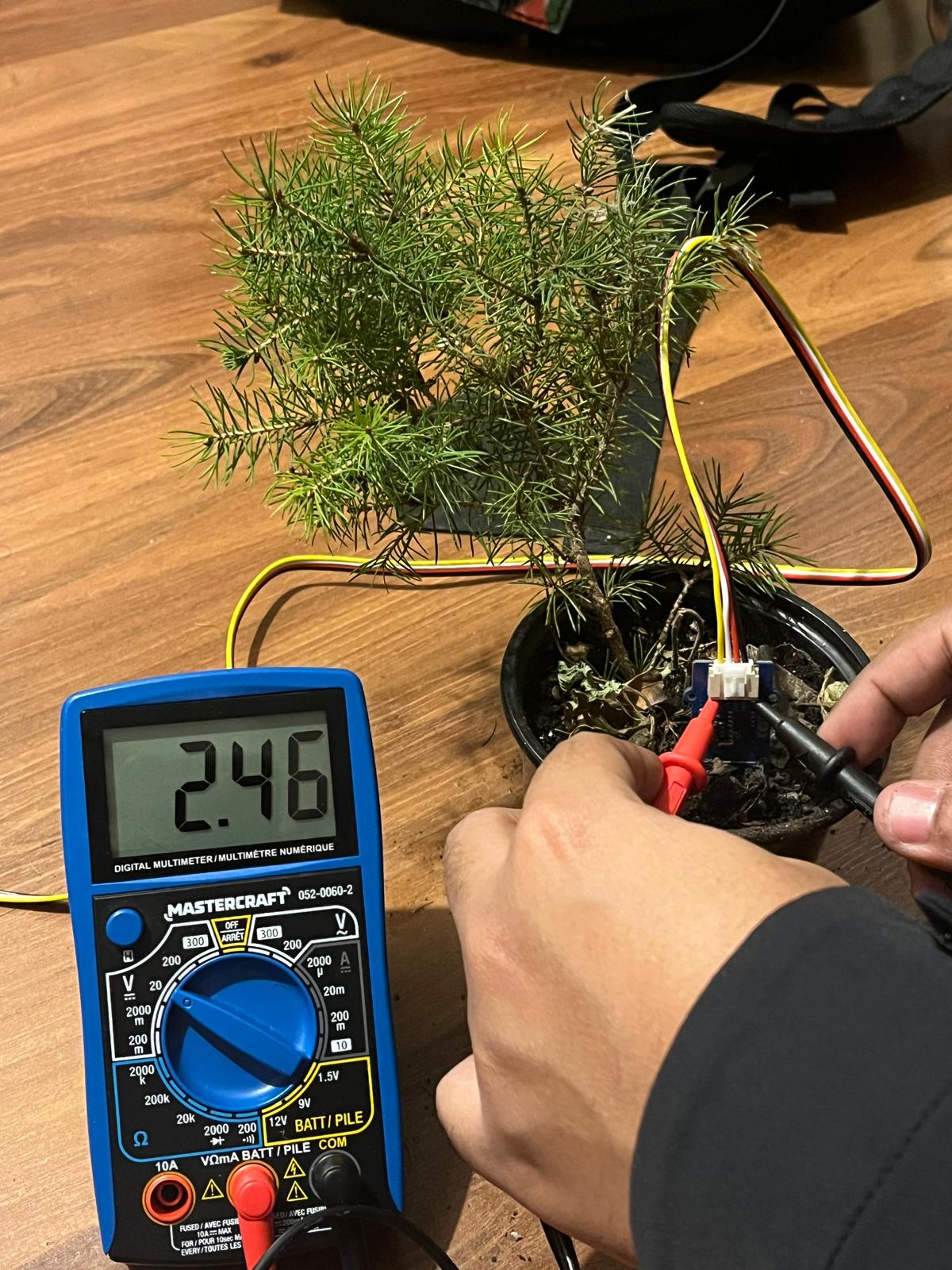
The system uses voltage-based thresholding for precise moisture control. Calibration is performed using a multimeter to find the optimal dry and wet voltage points.
| Dry Threshold Calibration | Wet Threshold Calibration |
|---|---|
 |
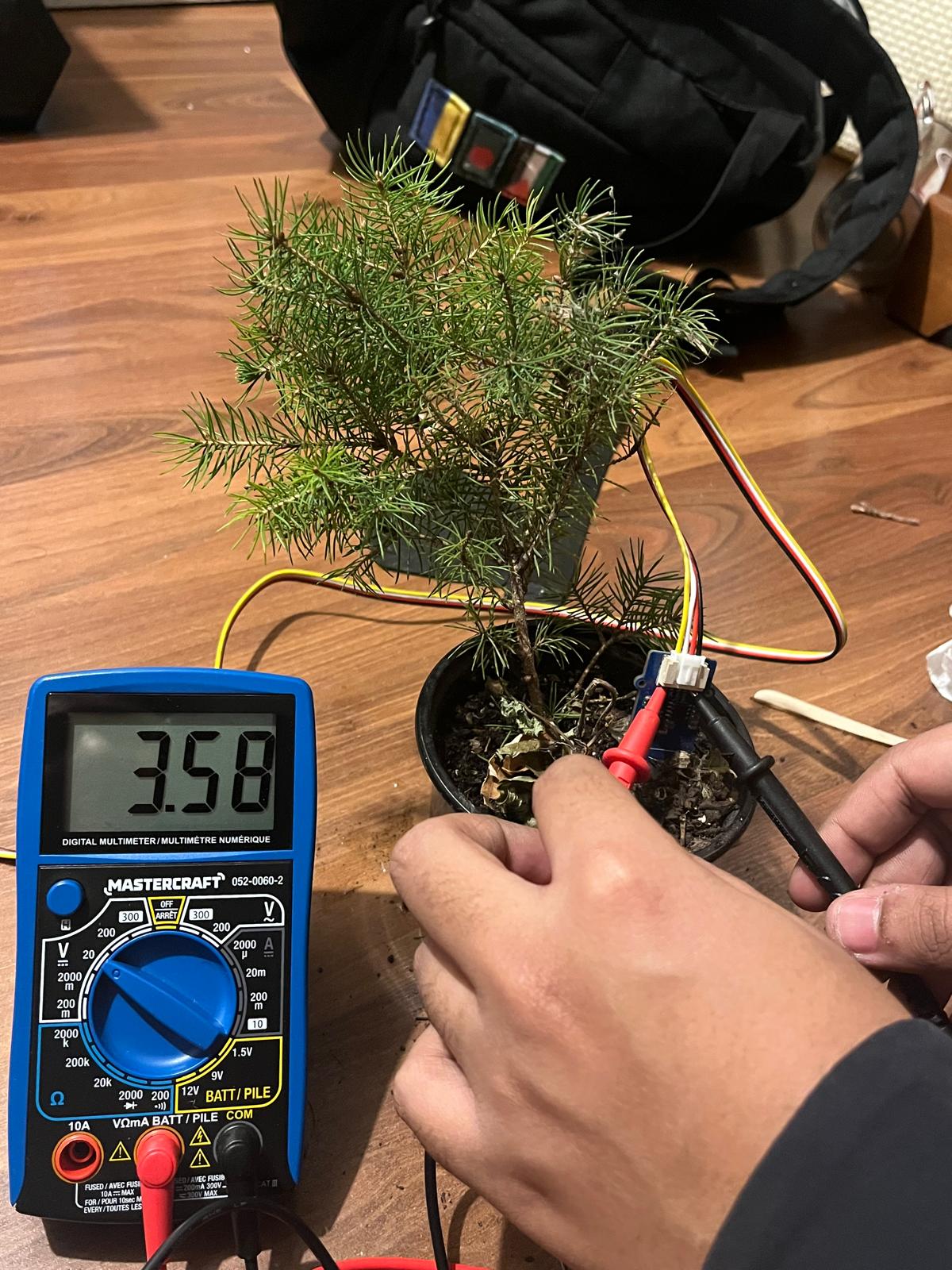 |
| Measuring voltage for dry soil | Measuring voltage for wet soil |
- Open the Arduino IDE.
- Go to
File->Examples->Firmata->StandardFirmata. - Select your board (Arduino Uno) and Port.
- Click Upload.
- Open the project in IntelliJ IDEA.
- Configure Project SDK (JDK 17+).
- Ensure all
.jarfiles in thelibfolder are added as project libraries.
- Open
src/Main.java. - Update the
myPortstring with your Arduino's COM port (e.g.,"COM5"). - Run the
mainmethod.
- Startup: The system will connect to your Arduino.
- Threshold Setting: Turn the potentiometer knob to set how "dry" you want the soil to be before it waters. Press the Button (D6) once to confirm.
- Loop: The system checks moisture every 60 seconds.
- If it's too dry, the pump runs for 5 seconds.
- Adjustment: During the 60-second wait, you can adjust the dry threshold live using the knob.
- Emergency: Press the Button (D6) at any time to trigger an emergency shutdown.
This project is licensed under the MIT License.
If you have any questions or need assistance, feel free to reach out at: contact@tasdidnoor.com
Smart Irrigation for Smart Plants.