
基于微博转发关系的网络爬虫
python 2.7 | scrapy 1.3
weibo/items.py: config fields you want to crawl
weibo/middlewares.py: some middlewares like random-user-agent you can use
weibo/settings.py: settings of this scrapy spider
weibo/spiders/weibo_spider.py: the crawler itself
weibo/2017_06_06.csv: a demo crawled result of weibo
a demo result of weibo: https://weibo.cn/comment/EwqnPi6i6
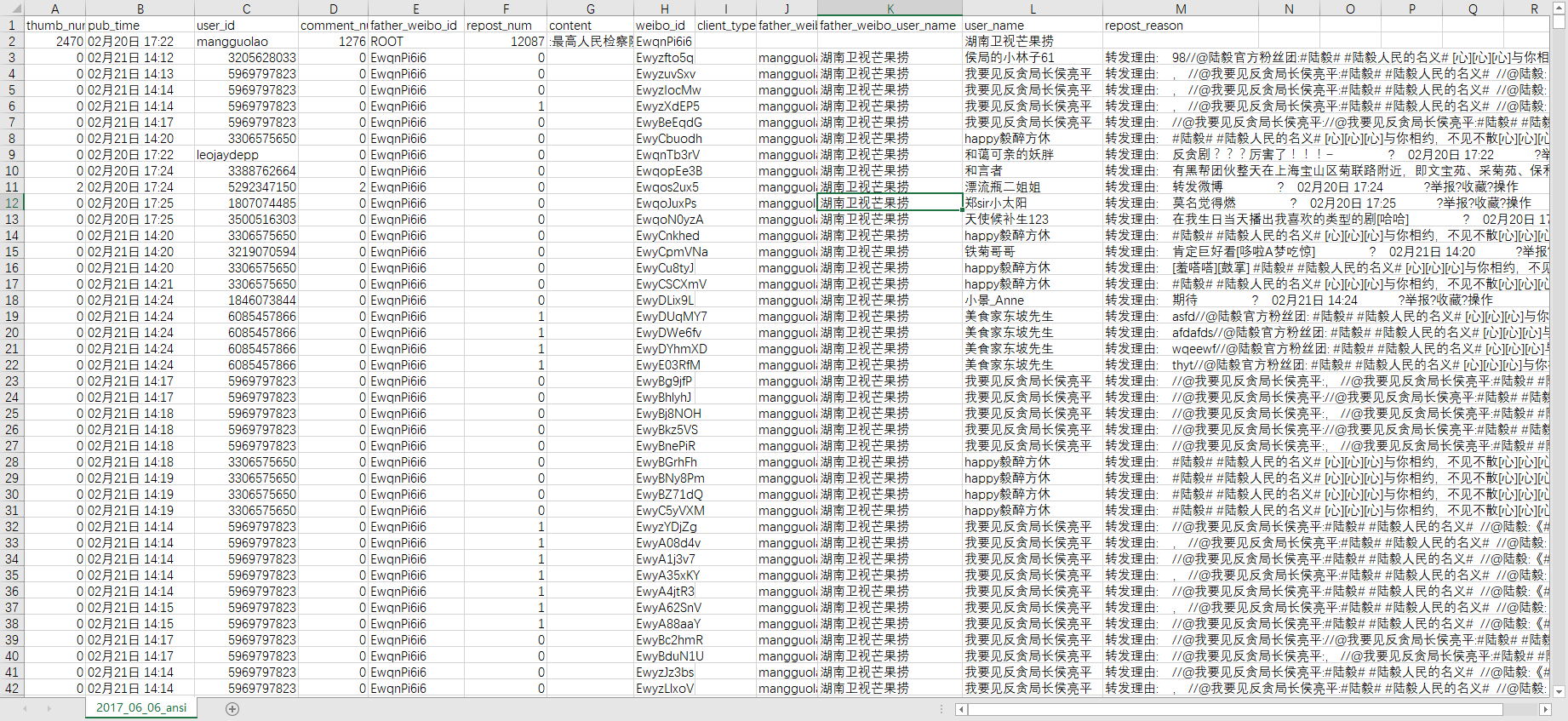
the result will be saved in csv format with UTF-8 code, you would like to convert it to ANSI code if you open the file in Microsoft Excel and having wrong-encode problem.
-
Run: pip install scrapy(only for whom have not installed scrapy yet.)
-
Clone code: git clone git@github.com:YogaLin/weibo_repost_scrapy_spider.git
-
login weibo.cn and capture the cookies of login info(software like fiddler should be capable for this job)
-
config your cookies info and start_weibo_id in weibo/spider/weibo_spiders.py file(I would suggest you conifg more than one cookies, but one should be fine if you slow your crawl speed.)
-
change your working-dir to /weibo folder
-
run code: scrapy crawl weibo_spider -o YOUR_OUTPUT_FILE.csv(with .csv suffix)
- Run the code and csv file only have one single data(data from your start_url)
In this case, it's mostly you a bad cookies and weibo.cn server thinks you are not login yet. Modify your cookies_list with another (or other) cookies should work.
- make sure it's not problem casued by scrapy, you are welcome to add new issue.