Requested by: @griffenedge via YakShaver.ai 🦬
cc: @griffenedge, @calumjs, @ricksu978, @adamcogan
Hi Team!
🟥 Watch the video (35 sec)
Pain
In the ⭐ YakShaver Desktop App, the Settings menu list does not support scrolling when the application window height is small. As a result, some settings menu items become inaccessible unless the window is resized to a larger height. This negatively impacts usability, especially for users on smaller screens or when the app is not maximized.
Acceptance Criteria
- The Settings menu list is scrollable when its content exceeds the visible vertical space
- All Settings menu items are accessible at any supported window height
- Scrolling works using mouse wheel and trackpad gestures
- Scrolling works using a visible scrollbar where applicable
- The fix works consistently across supported operating systems
Reproduce Steps
- Open the ⭐ YakShaver Desktop App
- Navigate to the Settings screen
- Resize the application window to a short height
- Observe that some Settings menu items are not visible
- Attempt to scroll the Settings menu and note that scrolling is not possible
Screenshot
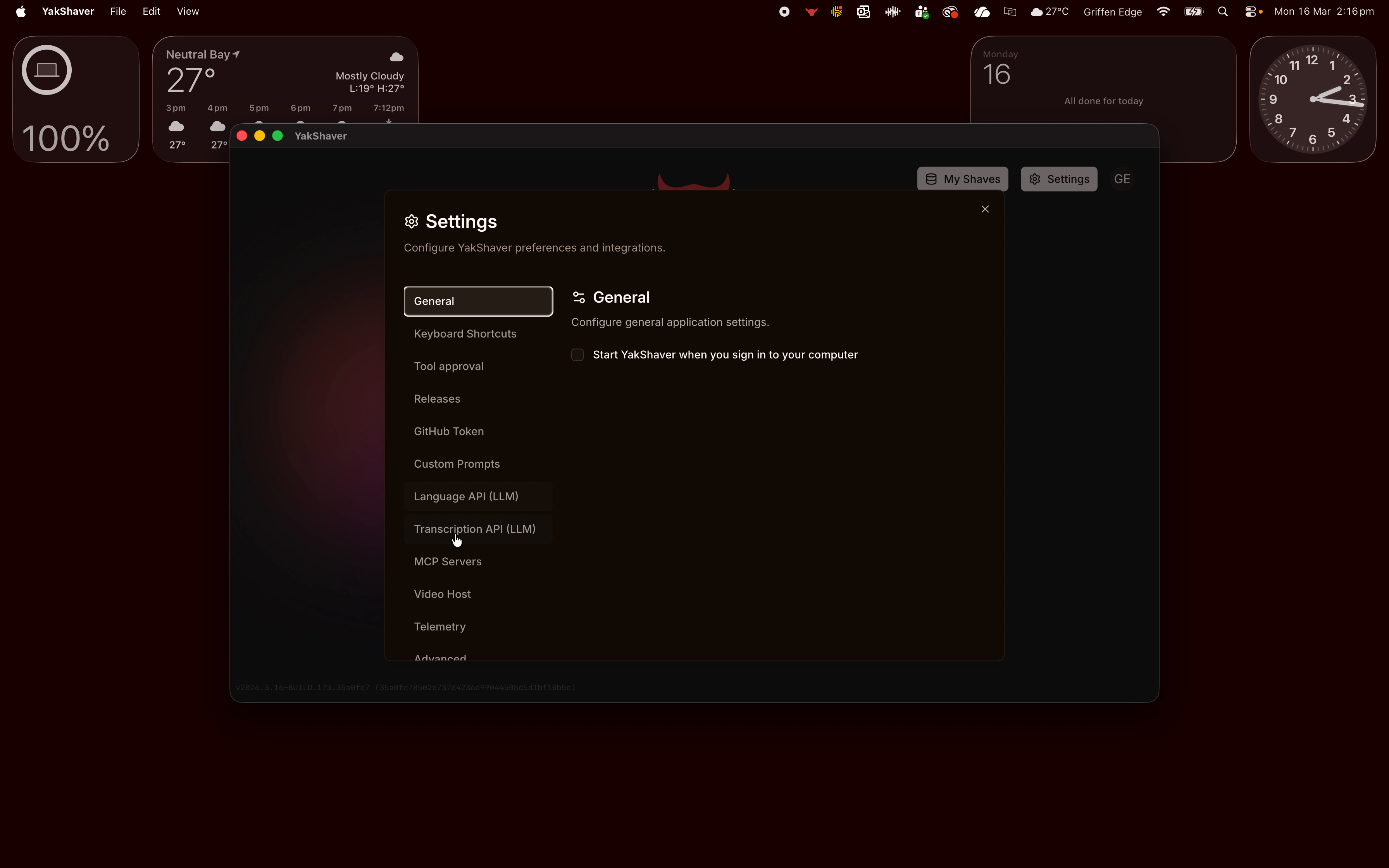
Figure: Settings menu list not scrollable when window is small
Requested by: @griffenedge via YakShaver.ai 🦬
cc: @griffenedge, @calumjs, @ricksu978, @adamcogan
Hi Team!
🟥 Watch the video (35 sec)
Pain
In the ⭐ YakShaver Desktop App, the Settings menu list does not support scrolling when the application window height is small. As a result, some settings menu items become inaccessible unless the window is resized to a larger height. This negatively impacts usability, especially for users on smaller screens or when the app is not maximized.
Acceptance Criteria
Reproduce Steps
Screenshot
Figure: Settings menu list not scrollable when window is small