Cc: @calumjs @ricksu978 @adamcogan
Hi
🟥 Watch the video (25 sec)
Pain
The app currently shows the version number and build on the main page (bottom-left, under the account details). This is UI clutter on the main screen, and the information is more discoverable in a dedicated location.
Suggested Solution
Move the version/build display from the main page to Settings → Releases.
Acceptance Criteria
- The main page no longer shows the app version number and build.
- The app version number and build are shown in Settings → Releases.
Tasks
More Information
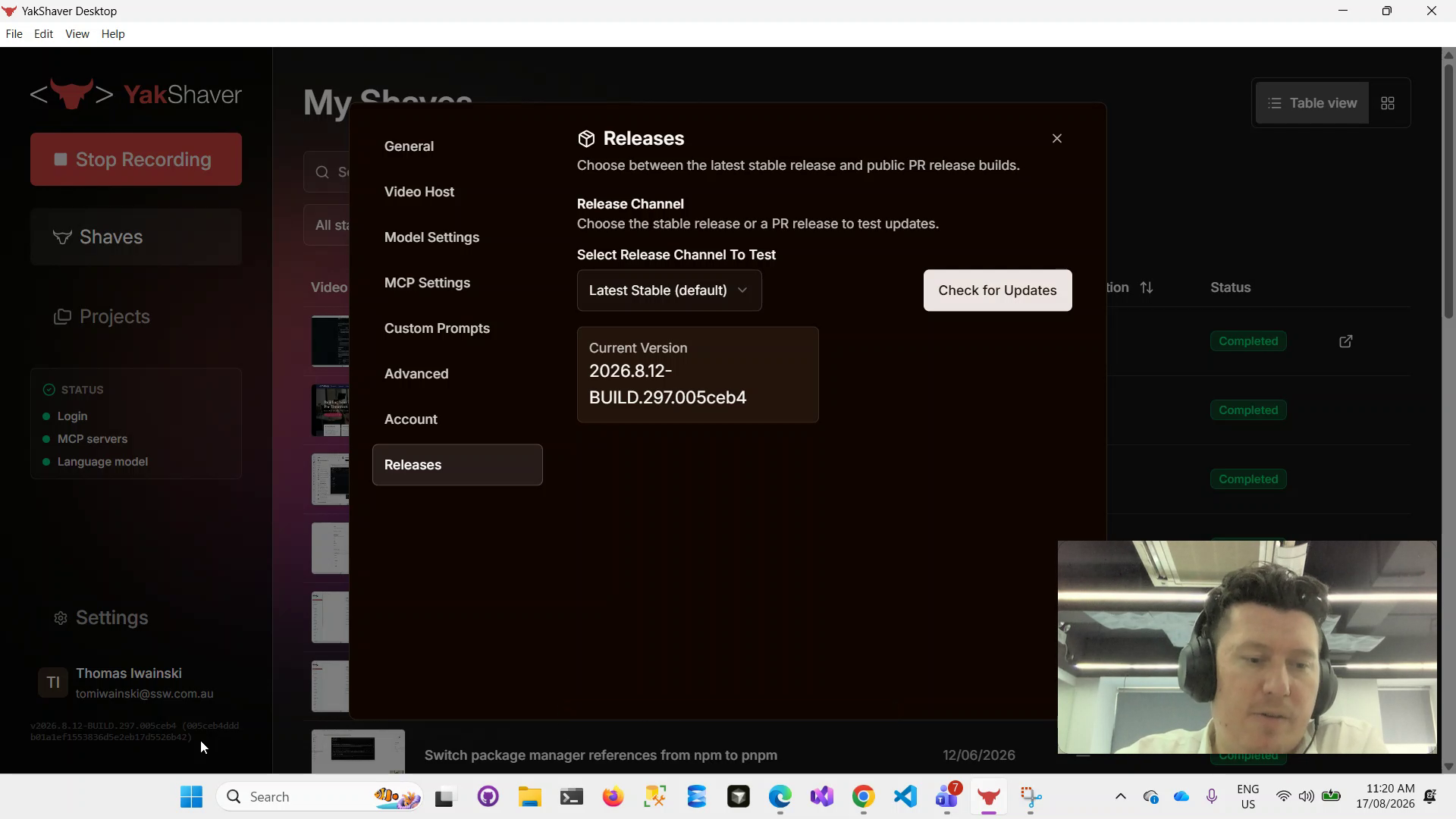
Figure: Current main page shows the version/build beneath account details (bottom-left)
Screenshots
Thanks!

Cc: @calumjs @ricksu978 @adamcogan
Hi
🟥 Watch the video (25 sec)
Pain
The app currently shows the version number and build on the main page (bottom-left, under the account details). This is UI clutter on the main screen, and the information is more discoverable in a dedicated location.
Suggested Solution
Move the version/build display from the main page to Settings → Releases.
Acceptance Criteria
Tasks
More Information
Figure: Current main page shows the version/build beneath account details (bottom-left)
Screenshots
Thanks!