MoreMarks
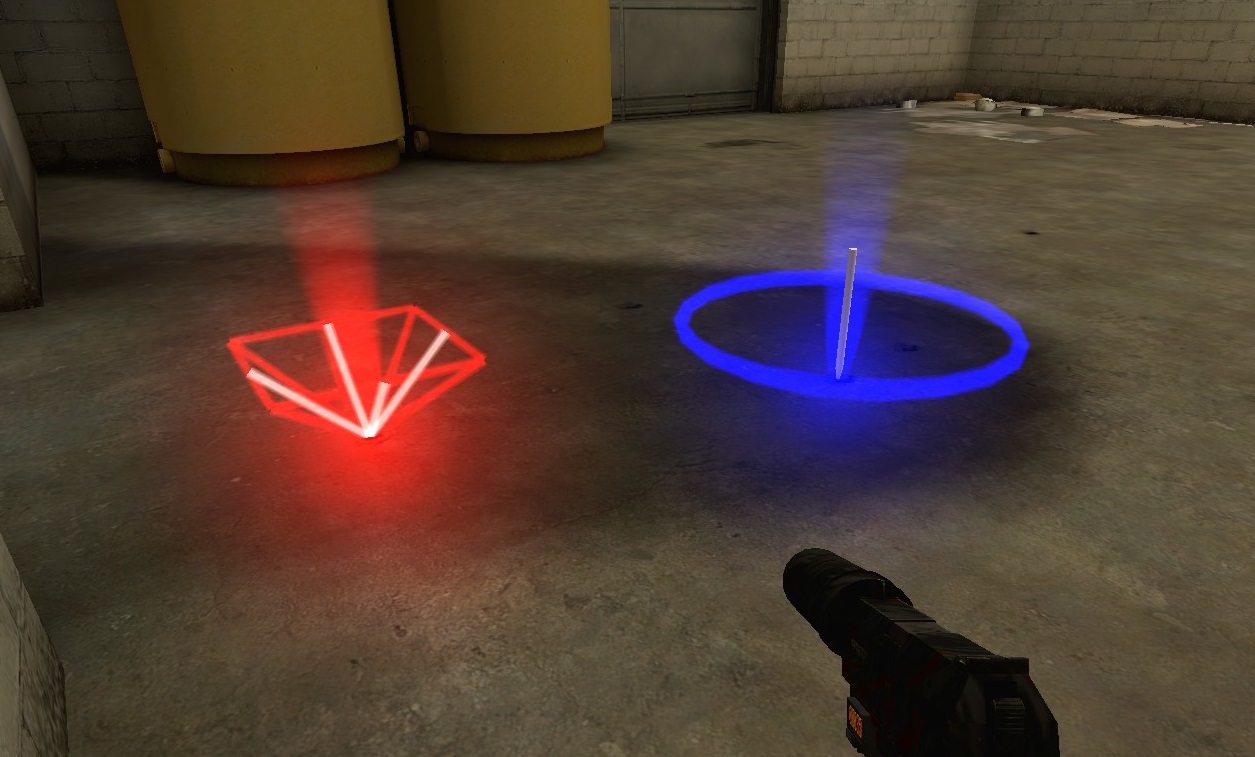
MoreMarks module allows you to have more than just simple sprite mark (TeamGames default marks), but use eight different types and even combine them to create your own unique marks. You can also create different definition for last spawned mark.
Downloads just put into configs/teamgames/downloads.cfg as for every other TeamGames module.
Config format - example
"MoreMarks"
{
	"red" // Red mark definition
	{
		"MarkComponent_1"
		{
			"ComponentProperty_1" "value"
			"ComponentProperty_2" "value"
		}
		"MarkComponent_2"
		{
			"ComponentProperty_1" "value"
		}
	}

	"red-last" // Last Red mark definition
	{
		"MarkComponent_1"
		{
			"ComponentProperty_1" "value"
			"ComponentProperty_2" "value"
			"ComponentProperty_3" "value"
		}
	}

	"blue" // Blue mark definition
	{
		"MarkComponent_1"
		{
			"ComponentProperty_1" "value"
			"ComponentProperty_2" "value"
			"ComponentProperty_3" "value"
		}
	}

	"blue-last" // Last Blue mark definition
	{
		"MarkComponent_1"
		{
			"ComponentProperty_1" "value"
			"ComponentProperty_2" "value"
		}
	}
}Model - picture
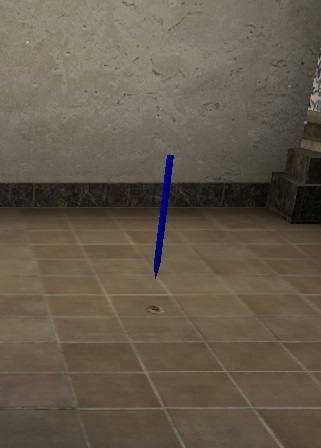
| Property | Default value | Description |
|---|---|---|
Position |
0 0 0 |
Position (relative to mark position) |
Angles |
0 0 0 |
Angles (relative to default value or PlayerAngle) |
PlayerAngle |
0 |
Use mark-player angles - checks only for existence of this property, not value |
Rotation |
0 |
Rotation model speed 0 = no rotation< 0 = rotate in the other direction |
Model |
Model file | |
Skin |
0 |
Model skin |
Color |
255 255 255 |
Render color |
Alpha |
255 |
Render alpha/opacity (0 - 255) |
##### Tesla - *[picture](https://raw.githubusercontent.com/KissLick/TeamGames/master/extras/wiki/MoreMarks/tesla.jpg)*
| Property | Default value | Description |
|---|---|---|
Position |
0 0 0 |
Position (relative to mark position) |
Material |
materials/sprites/physbeam.vmt |
Material file |
Radius |
48.0 |
Effect radius |
Color |
255 255 255 |
Render color |
Thickness-min |
2.0 |
Beam min thickness |
Thickness-max |
6.0 |
Beam max thickness |
LifeTime-min |
0.2 |
Beam min life time |
LifeTime-max |
0.4 |
Beam max life time |
Interval-min |
0.1 |
Min beam spawn interval |
Interval-max |
0.2 |
Max beam spawn interval |
BeamCount-min |
6 |
Min spawned beam count |
BeamCount-max |
8 |
Max spawned beam count |
##### SmokeStack - *[picture](https://raw.githubusercontent.com/KissLick/TeamGames/master/extras/wiki/MoreMarks/smokestack.jpg)*
| Property | Default value | Description |
|---|---|---|
Position |
0 0 0 |
Position (relative to mark position) |
Material |
materials/effects/redflare.vmt |
Material file |
Size-start |
8 |
Particles start size |
Size-end |
8 |
Particles end size |
Color |
255 255 255 |
Render color |
Alpha |
255 |
Render alpha/opacity (0 - 255) |
Radius |
48 |
Effect radius |
Length |
32 |
Effect length |
EmmisionRate |
24 |
Particles emmision rate |
Speed |
30 |
Particles move speed |
SpreadSpeed |
0 |
Particles spread speed |
Twist |
0 |
Particles twist (around Position) speed |
##### Steam - *[picture](https://raw.githubusercontent.com/KissLick/TeamGames/master/extras/wiki/MoreMarks/steam.jpg)*
| Property | Default value | Description |
|---|---|---|
Position |
0 0 0 |
Position (relative to mark position) |
Angles |
-90 0 0 |
Angles (relative to default value or PlayerAngle) |
PlayerAngle |
0 |
Use mark-player angles - checks only for existence of this property, not value |
Color |
255 255 255 |
Render color |
Alpha |
255 |
Render alpha/opacity (0 - 255) |
Width-start |
4 |
Effect start width |
Width-end |
16 |
Effect end width |
Speed |
32 |
Particles speed |
Length |
48 |
Effect length (particles stream) |
##### SpotLight - *[picture](https://raw.githubusercontent.com/KissLick/TeamGames/master/extras/wiki/MoreMarks/spotlight.jpg)*
| Property | Default value | Description |
|---|---|---|
Position |
0 0 0 |
Position (relative to mark position) |
Width |
8 |
Light beam width |
Length |
32 |
Light beam length |
Color |
255 255 255 Render color |
|
Alpha |
255 |
Render alpha/opacity (0 - 255) |
Angles |
-90 0 0 |
Angles (relative to default value or PlayerAngle) |
PlayerAngle |
0 |
Use mark-player angles - checks only for existence of this property, not value |
##### Beam - *[picture](https://raw.githubusercontent.com/KissLick/TeamGames/master/extras/wiki/MoreMarks/beam.jpg)*
| Property | Default value | Description |
|---|---|---|
Start |
0 0 0 |
Start position (relative to mark position) |
End |
0 0 48 |
End position (relative to mark position) |
Material |
Material file | |
Width-start |
1.0 |
Beam start width |
Width-end |
1.0 |
Beam end width |
Amplitude |
0.0 |
Beam amplitude |
Color |
255 255 255 Render color |
|
Alpha |
255 |
Render alpha/opacity (0 - 255) |
##### Circle - *[picture](https://raw.githubusercontent.com/KissLick/TeamGames/master/extras/wiki/MoreMarks/circle.jpg)*
| Property | Default value | Description |
|---|---|---|
Position |
0 0 0 |
Position (relative to mark position) |
Radius |
32.0 |
Circle radius |
Material |
Material file | |
Width |
2.0 |
Circle beam width |
Color |
255 255 255 |
Render color |
Alpha |
255 |
Render alpha/opacity (0 - 255) |
Amplitude |
0.0 |
Circle beam amplitude |
##### Sprite - *[picture](https://raw.githubusercontent.com/KissLick/TeamGames/master/extras/wiki/MoreMarks/sprite.jpg)*
| Property | Default value | Description |
|---|---|---|
Position |
0 0 0 |
Position (relative to mark position) |
Material |
Material file | |
Size |
1.0 |
Sprite scale (0.5 = 50%, 1.0 = 100%) |
Color |
255 255 255 |
Render color |
Alpha |
255 |
Render alpha/opacity (0 - 255) |
Not sure how to create custom mark? See How to create custom mark ;-)